Obligations
Requirements, applicability, owners and review dates.
Atlas is an AI-powered compliance platform connecting market research, live regulatory monitoring, technical compliance, licence management and team workflows, so the context stays with the work.
Research a market, monitor change, assess what applies, organise the work and keep it current in Atlas.
Compare jurisdictions, authorities, licence routes and requirements.
Follow the sources, markets and topics your team owns.
Review what changed, when it applies and which work it affects.
Connect requirements to evidence, owners, reports and team decisions.
Keep licence obligations, decisions and monitoring current in one workspace.
Review jurisdiction conditions, licence routes, governing sources and market context before committing time and budget.
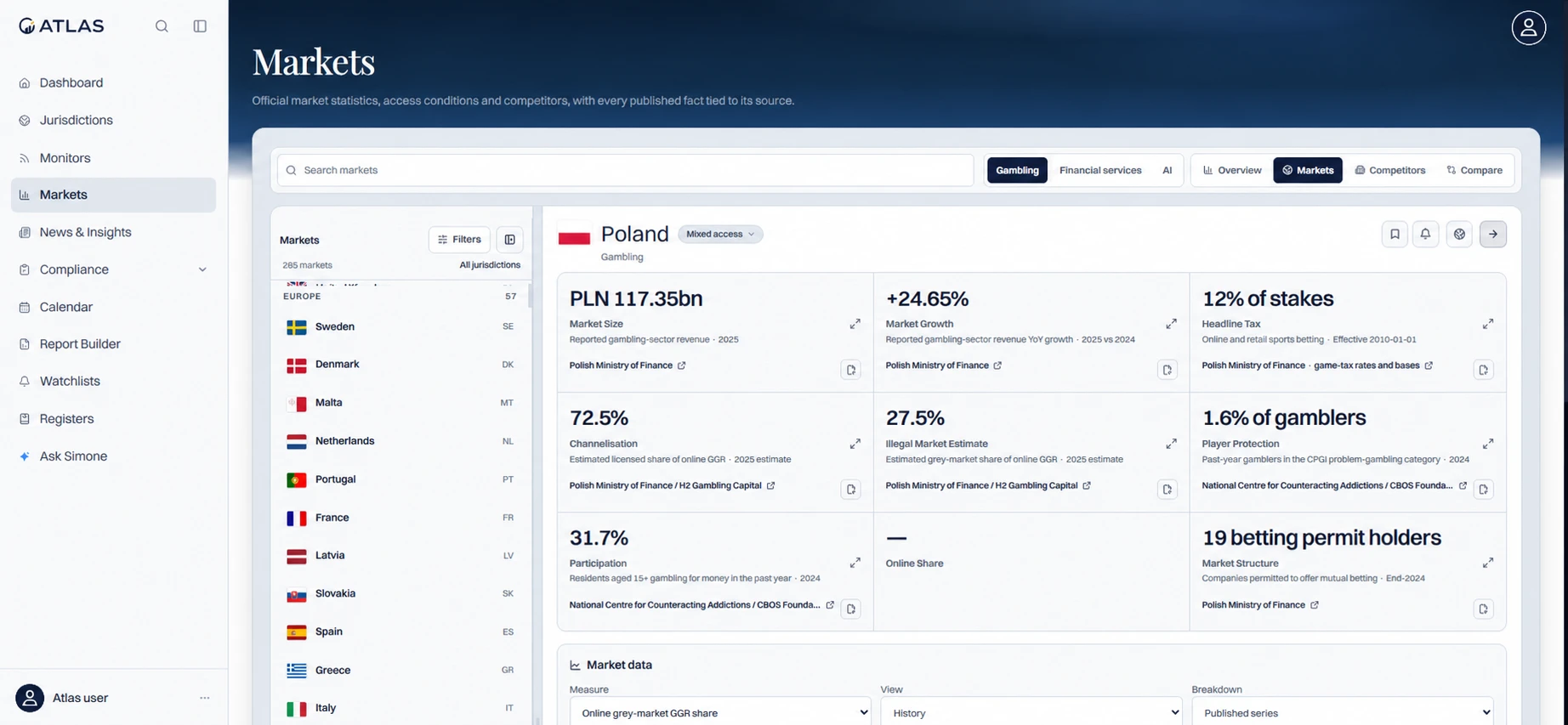
Review market data alongside the evidence behind it.
Account details anonymised.
Open full-size image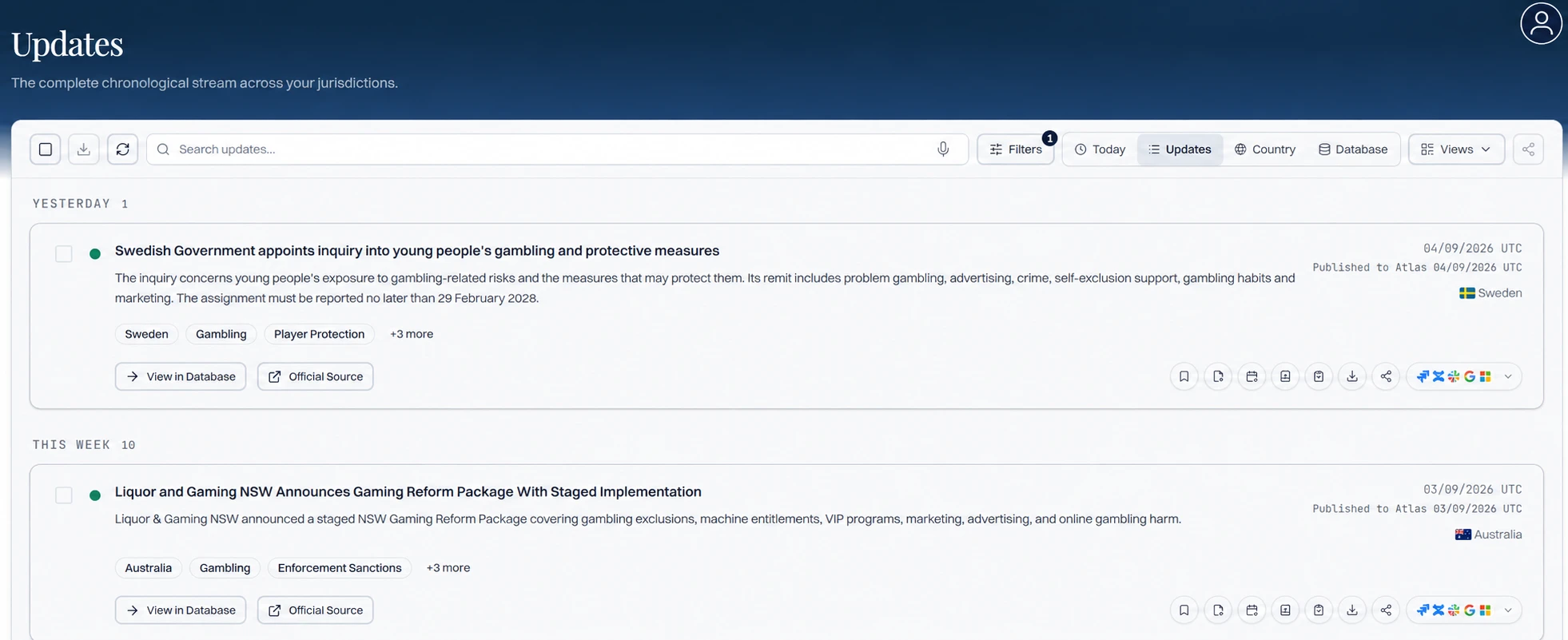
Review regulatory changes with their jurisdiction, date and original source.
Account details anonymised.
Open full-size imageKeep watch over the markets and authorities your team owns, then review each relevant change with its source, date and context.
Put jurisdictions side by side. Review the requirement text and its source before deciding what applies to your product and what evidence is needed.
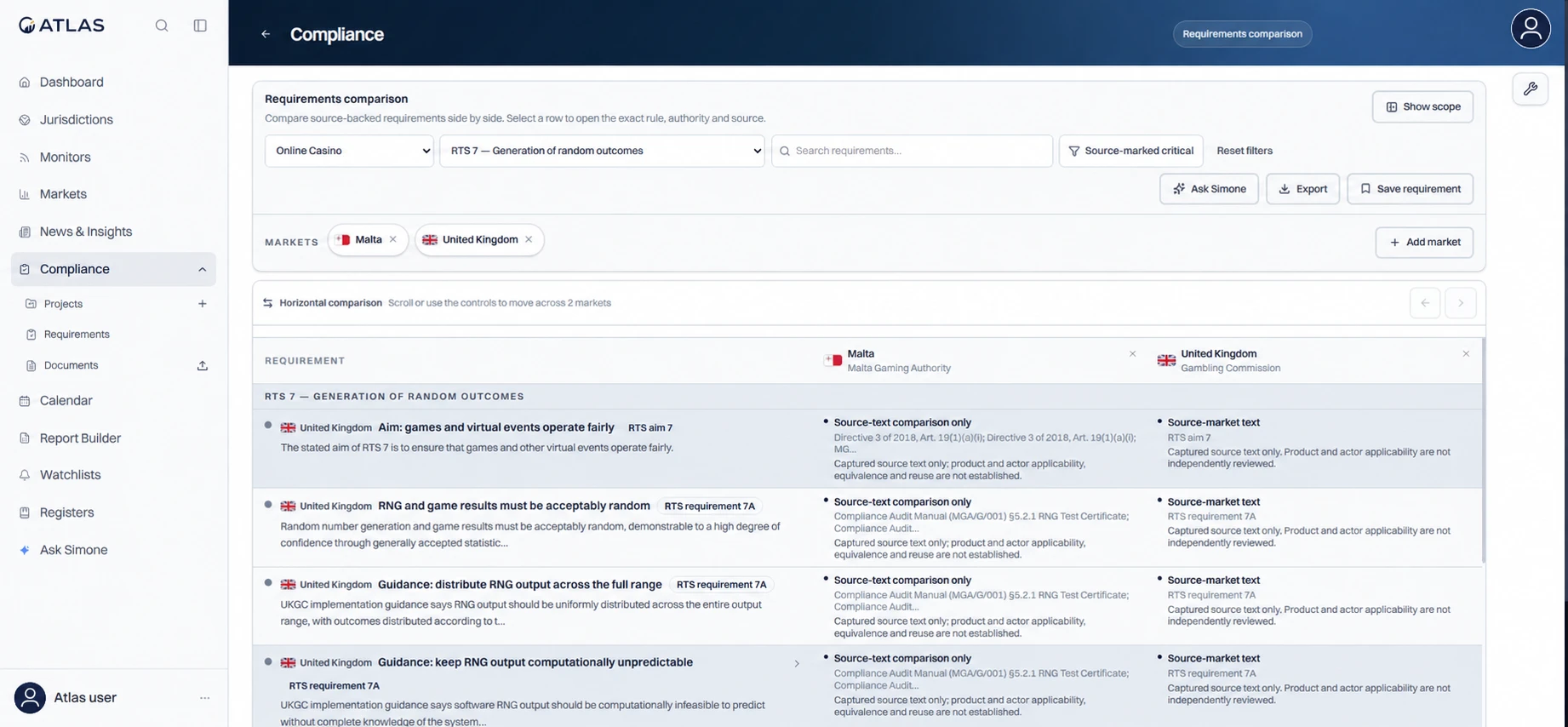
Compare technical requirements across jurisdictions, with source references in view.
Source-text comparison; applicability and equivalence require review. Account details anonymised.
Open full-size imageBuild the operating record around the requirement: applicability, owner, control, evidence, review date, approval and history.
Requirements, applicability, owners and review dates.
Implementation, testing evidence and mapped requirements.
Supporting material, attestations, approvals and history.
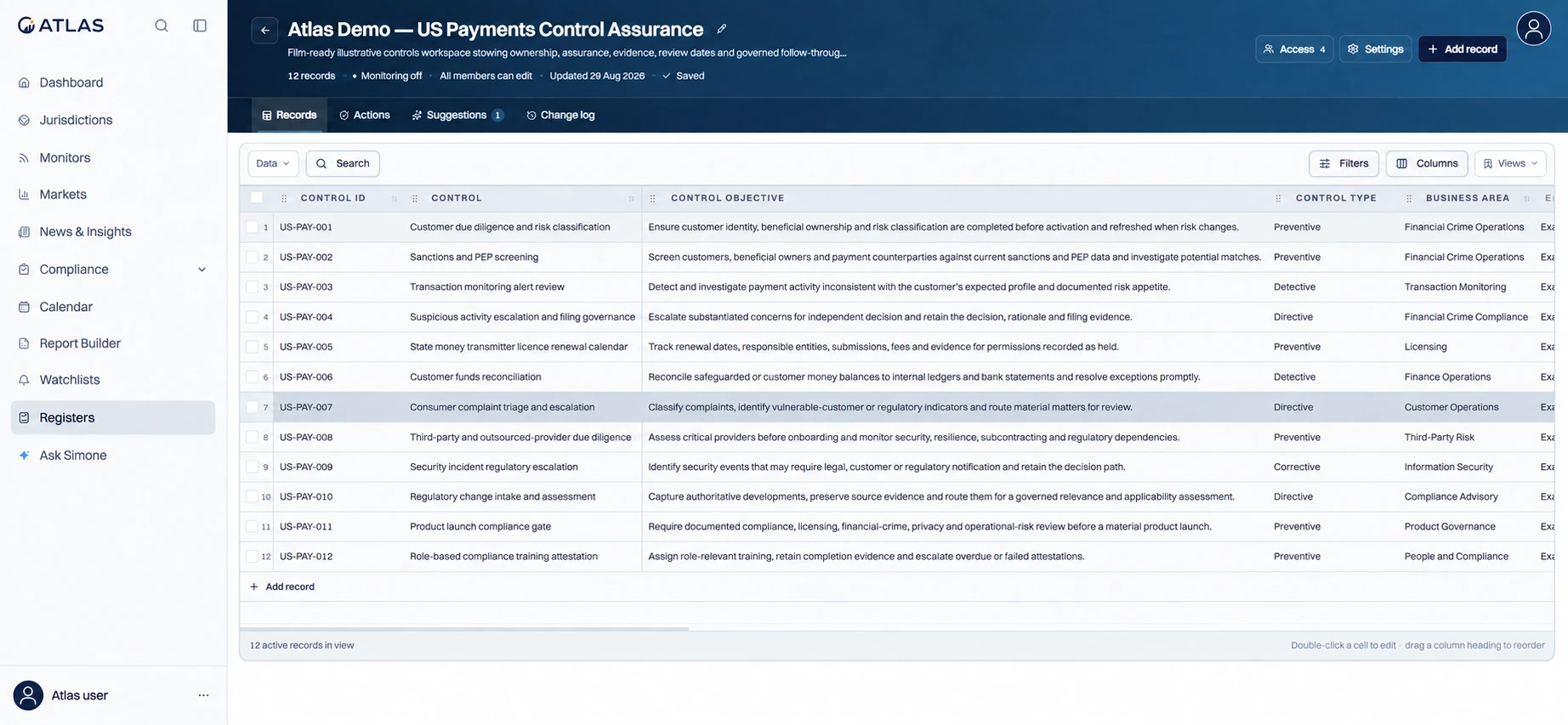
Keep the control, its objective and the responsible business area in one register.
Illustrative payments demo, not customer records. Account details anonymised.
Open full-size imageConnect alerts, evidence and owned work to the productivity and workflow tools your team already uses.
 Jira
Jira Confluence
 MCP
MCP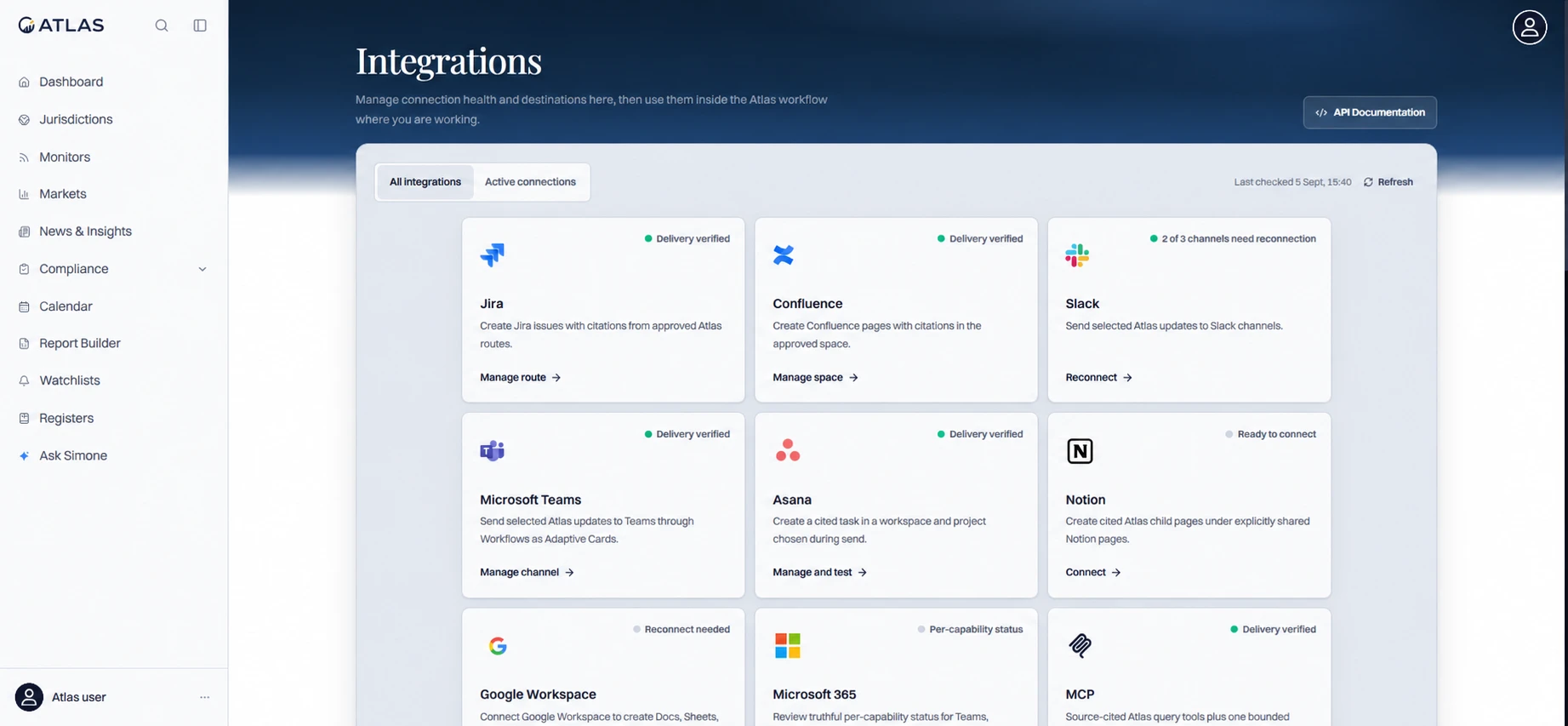
Connect the workspace to the tools your team uses, and check connection health.
Catalogue view; availability is not confirmation that every connection is configured. Account details anonymised.
Open full-size image